Everything the app does for hosts and drivers: Parking Hubs, Charging Hubs, Park & Charge, QR codes, promo codes, energy labels and the host screens. Pick your sector below to see how it works for your kind of site.

🧭 Find your sector →

De Energy Hub is a booking app for EV charging and parking. Businesses and owners list a Charging Hub for their chargers, a Parking Hub for their spaces, or both linked as Park & Charge. Drivers search by location or scan a QR code, book the time they need, check in through the booking and pay by card. Hosts set their own rates and see every booking and who made it. On full-price bookings the host keeps 100% of the rate they set, and a 15% service fee and VAT are added on top and shown before the driver pays. It works with the EV chargers and car parks you already have.
A hub is a site's set of bookable chargers or spaces. Pick a hub to see what you can set.

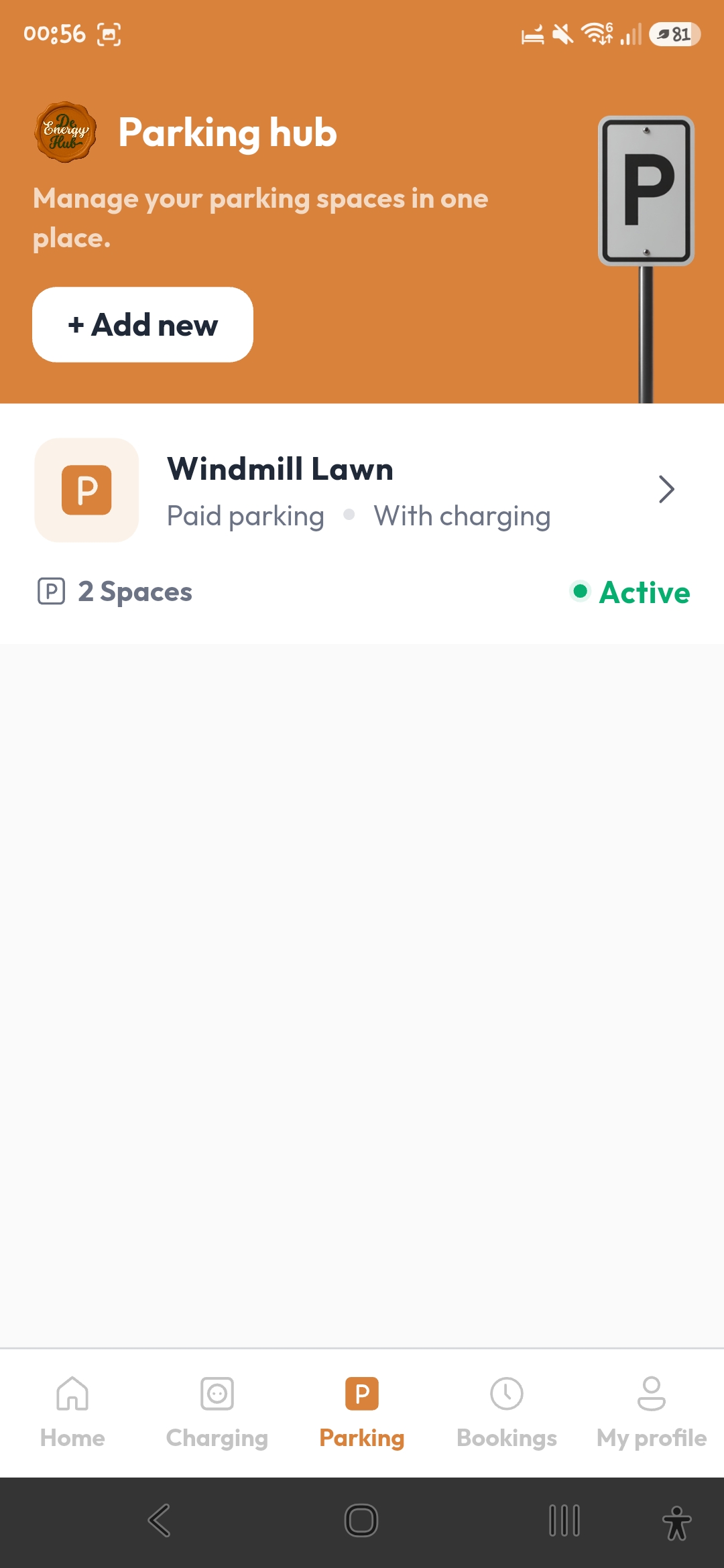
Any car park or set of spaces a business wants to make bookable, with or without a charger.

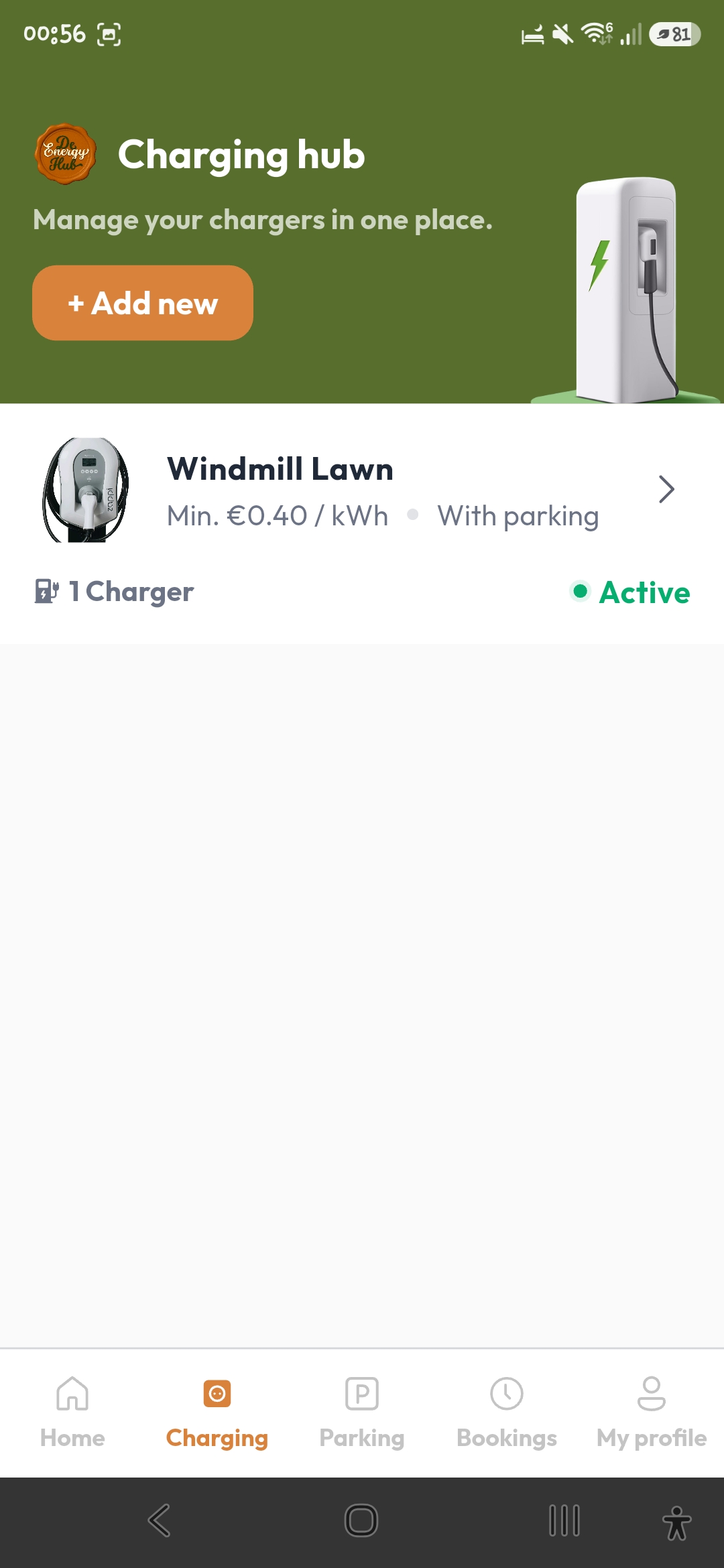
A set of chargers at one site. You describe each charger in the app by hand.

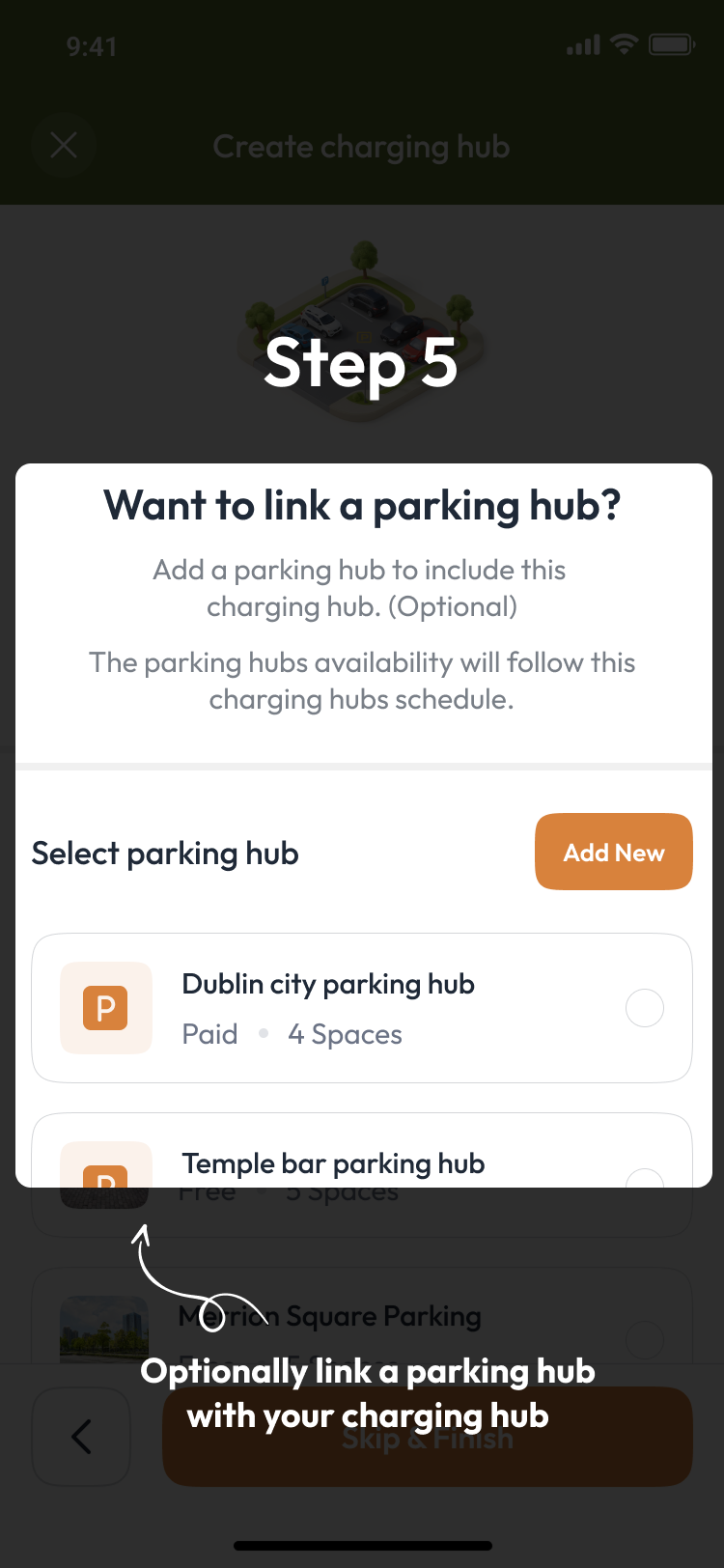
Link a Charging Hub and a Parking Hub from either side.
Drivers and guests need the app and an account. There are two ways in: search by location in advance, or scan a QR code on arrival.

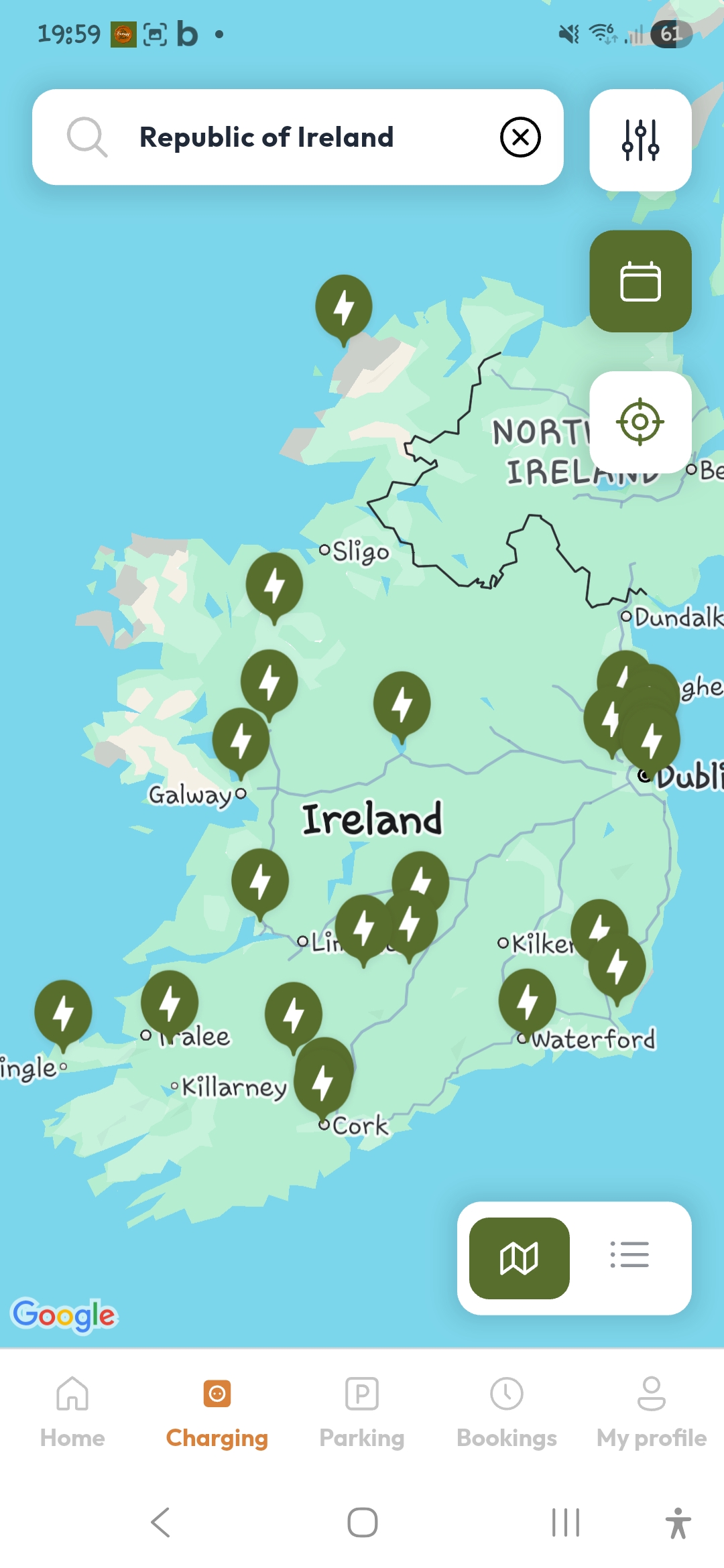
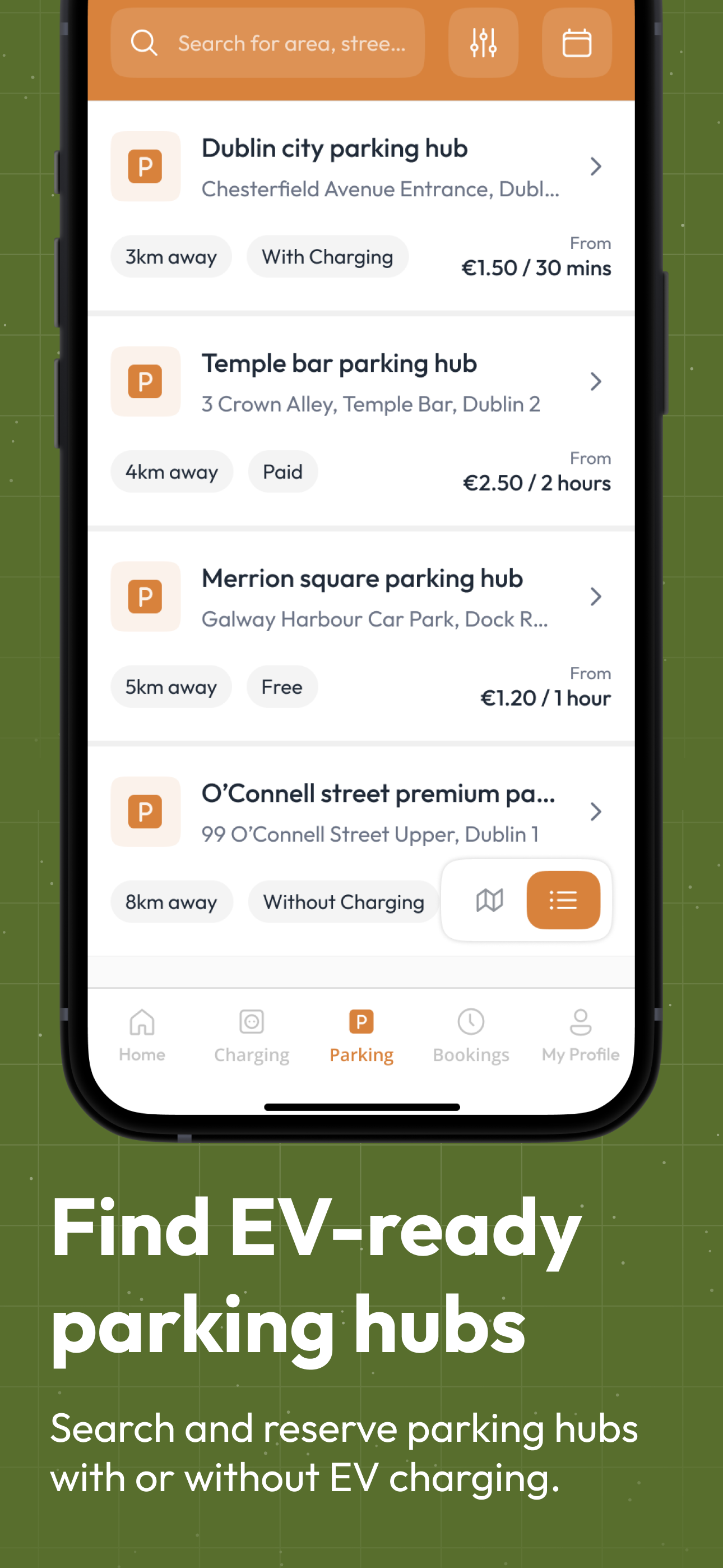
Search by location on a map or in a list, in a parking view or a charging view. Filter by charger speed, connector type (including EHU for campervans) and distance, or search by energy rate and price. Where a Charging Hub is linked to a Parking Hub, drivers can filter by vehicle type too. The rate, the price and the energy label are shown on every hub before booking.

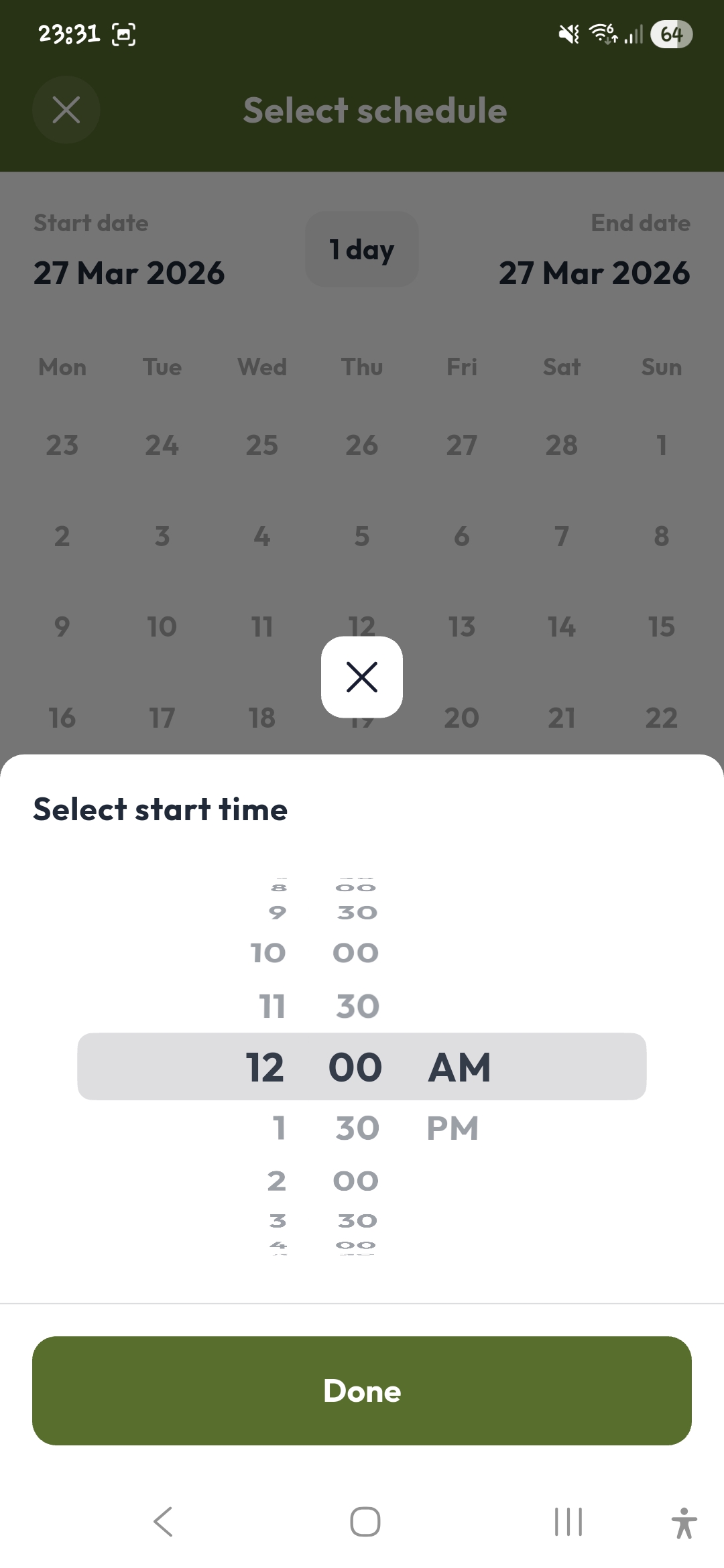
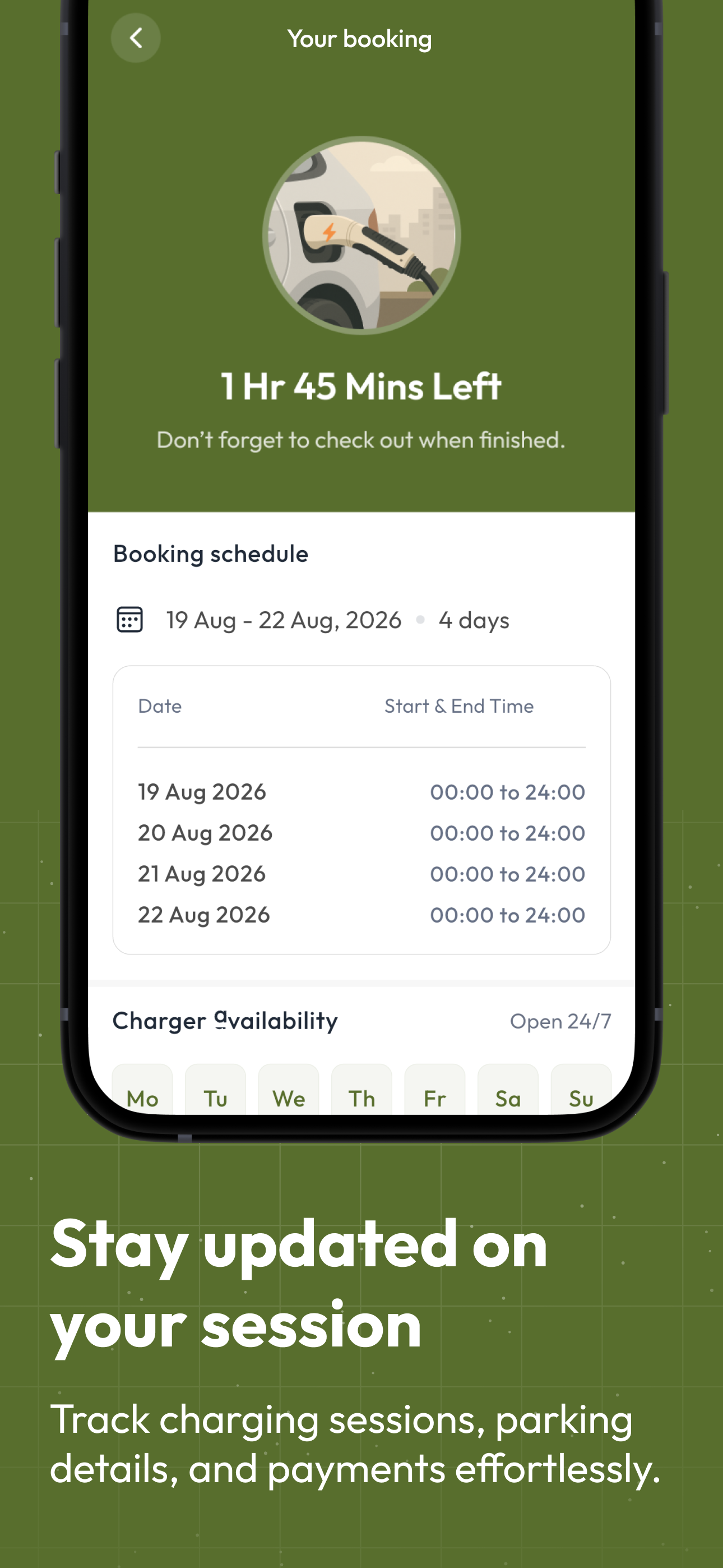
Choose a start time and a booking length. The host sets the minimum booking length for the hub: 30 minutes, 1 hour, 2 hours, 3 hours or longer. A booking can cover several hours, and a multi-day booking is one booking with a start and end date on a calendar. Arriving without a booking? Scan the QR code: it opens the booking screen for that exact charger or space.

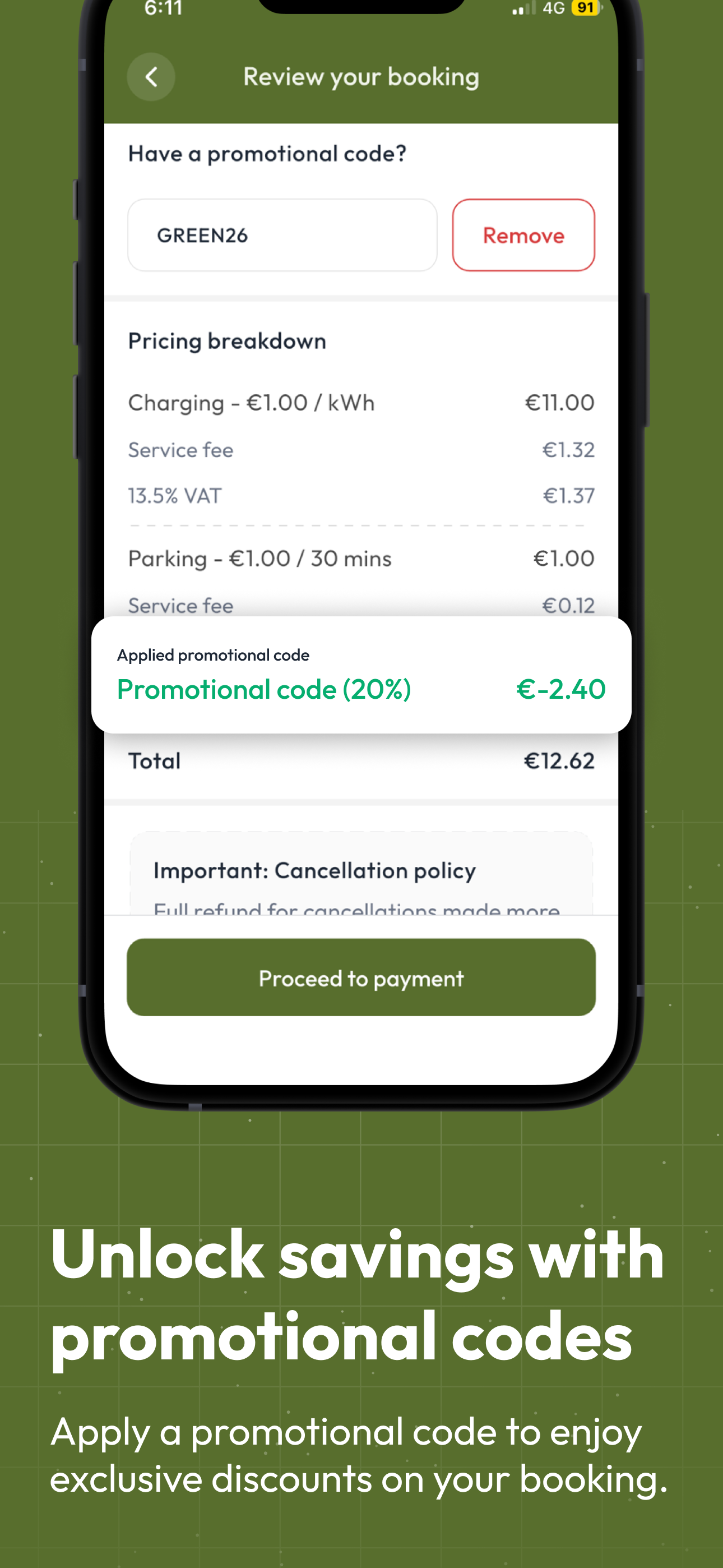
The rate, the 15% service fee and VAT are shown before the driver confirms. A promo code goes into the promotional code field. Payment is by card in the app, and an invoice is issued for each paid booking.

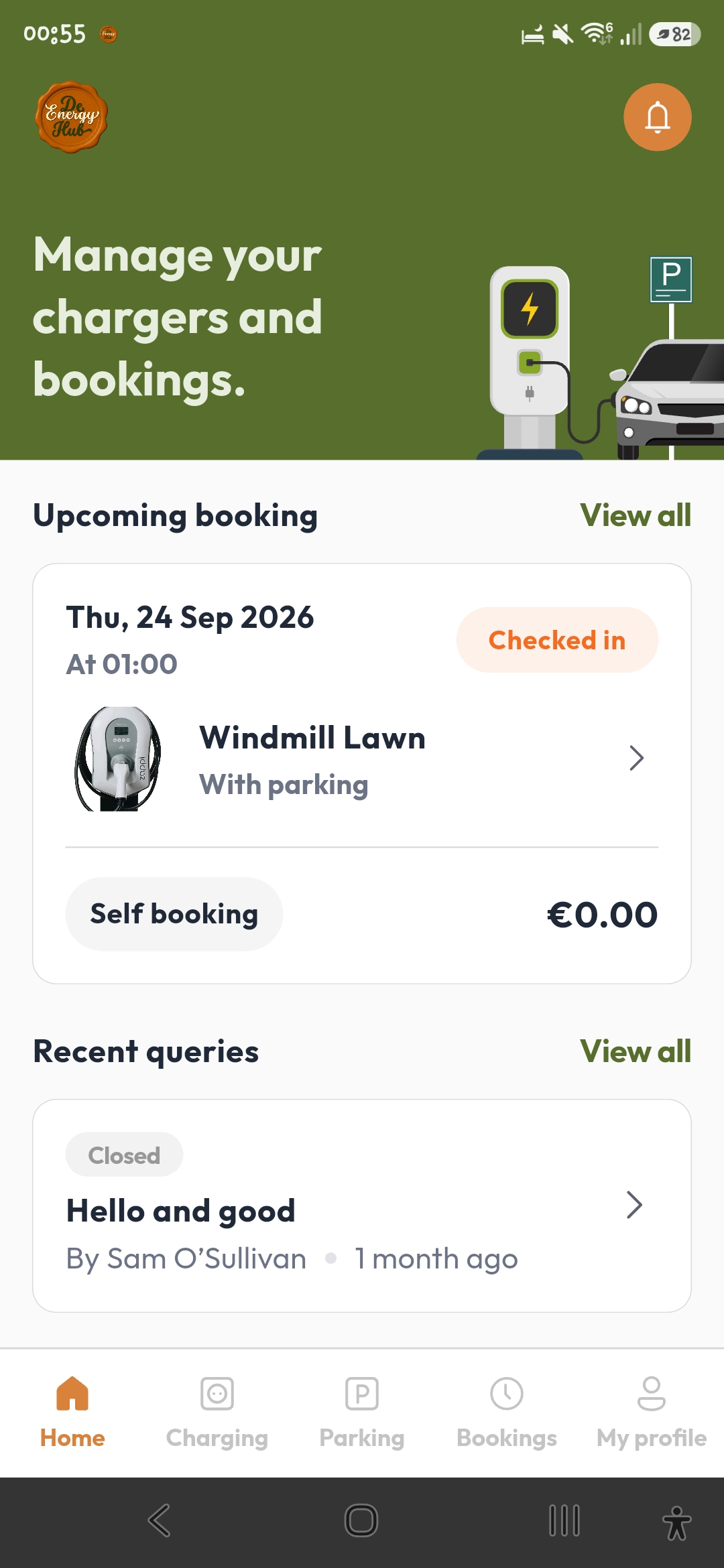
Check-in opens 15 minutes before the start. Reminders go out 5 minutes before the booking starts and 5 minutes in if the driver has not checked in. At the end, reminders go out 5 minutes before, at the end time and shortly after. A driver who has not checked out is checked out 5 minutes after the end time. A photo at check-in and check-out is optional, and it is the driver's choice.
Free, or priced per 30-minute slot with a weekday rate and a weekend rate.
A rate per kWh for each energy label a charger offers, EHU posts included. The price a driver pays comes from the host's rate and the time booked.
On full-price bookings the host keeps 100% of the rate they set. The 15% service fee and VAT are added on top. There is no listing fee.
Drivers pay by card in the app and receive an invoice for each paid booking. Payouts are made daily, at the end of the day, when there is something to pay out.
Cancellations follow the cancellation policy in the app: free up to 24 hours before the start, 50% between 24 and 4 hours before, and the full value inside 4 hours.

Promo codes change the price. Every booking still shows who made it.
A host requests promo codes from De Energy Hub.
The number of uses, including per person and per month, an expiry date, and whether the code covers parking, charging or both.
The host shares the code with staff, guests, residents or partners.
The user types the code into the promotional code field when they book.
A percentage off the overall price. The user pays the balance.
100% off, so there is no payment screen. The host covers the electricity and offers it as a perk.
Every charger shows where its power comes from. Hosts choose which labels a charger offers and set a rate for each one, and drivers see them before they book.
100% renewable electricity from the host's own site, so zero CO2 emissions from the electricity.
0g CO2 / kWhA mix of renewables and the grid.
Full grid power at maximum kW.
When you create a Charging Hub, you choose which energy labels each charger offers and set a rate per kWh for each one. Pure is for your own 100% renewable supply, Smart is a mix of renewables and the grid, and Boost is full grid power. Companies that care where their power comes from can list their chargers as Pure and be found by drivers who want to charge on renewables.
The energy label and rate for each charger are shown before you book. Where a host offers a rate for more than one energy source, you pick the one you want when you book. Where there is one rate, that is the one you see. Search by energy rate to find Pure Energy hubs and charge on renewable electricity, or choose Boost for full grid power at maximum kW.
| Label | Where the power comes from | What it means for you |
|---|---|---|
| ☀️ Pure Energy | 100% renewable electricity from the host's own site | Zero CO2 emissions from the electricity |
| 🔄 Smart Energy | A mix of renewables and the grid | Part renewable electricity, part grid electricity |
| 🚀 Boost Energy | Full grid power at maximum kW | Charging at the charger's maximum kW |
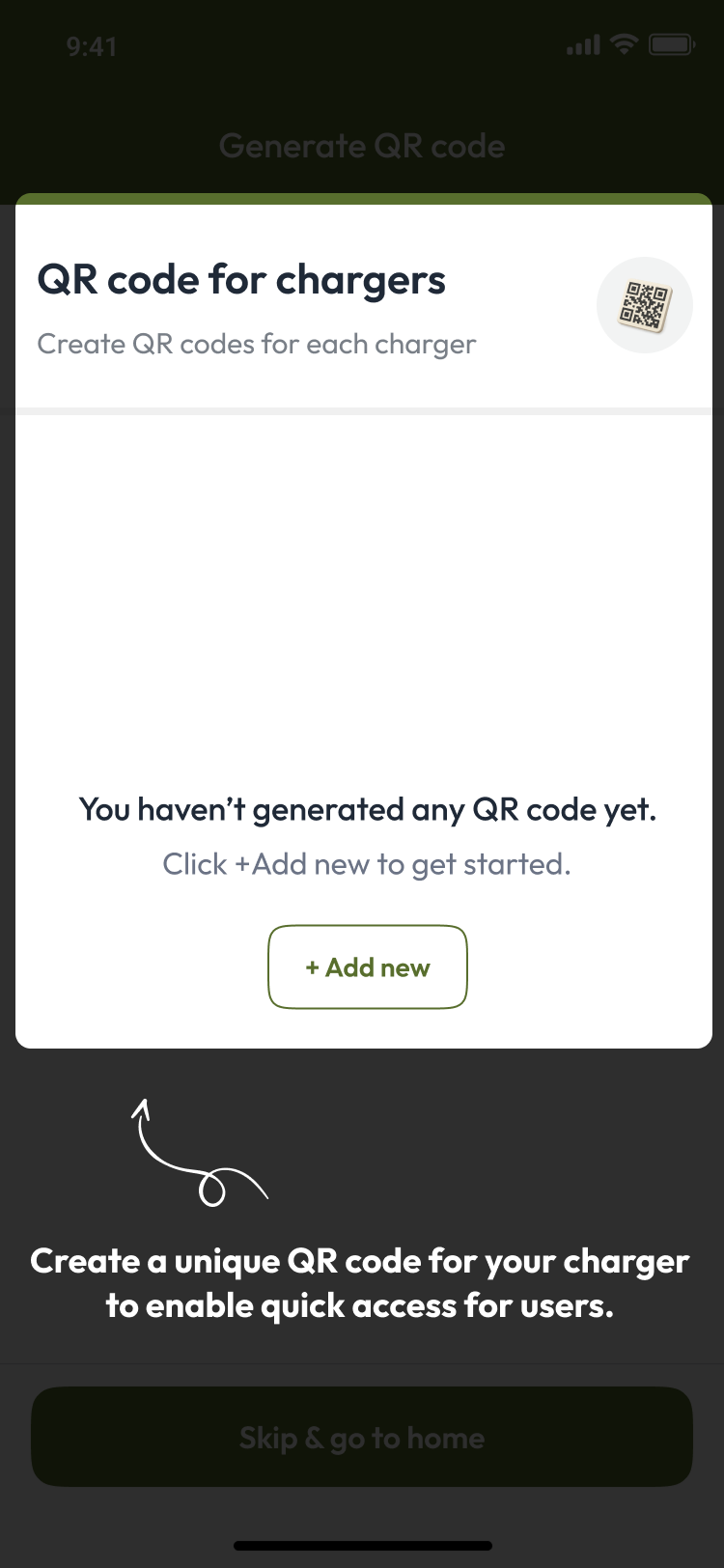
A scan opens the booking screen for that exact charger or space. It starts a booking, and drivers check in through the booking.

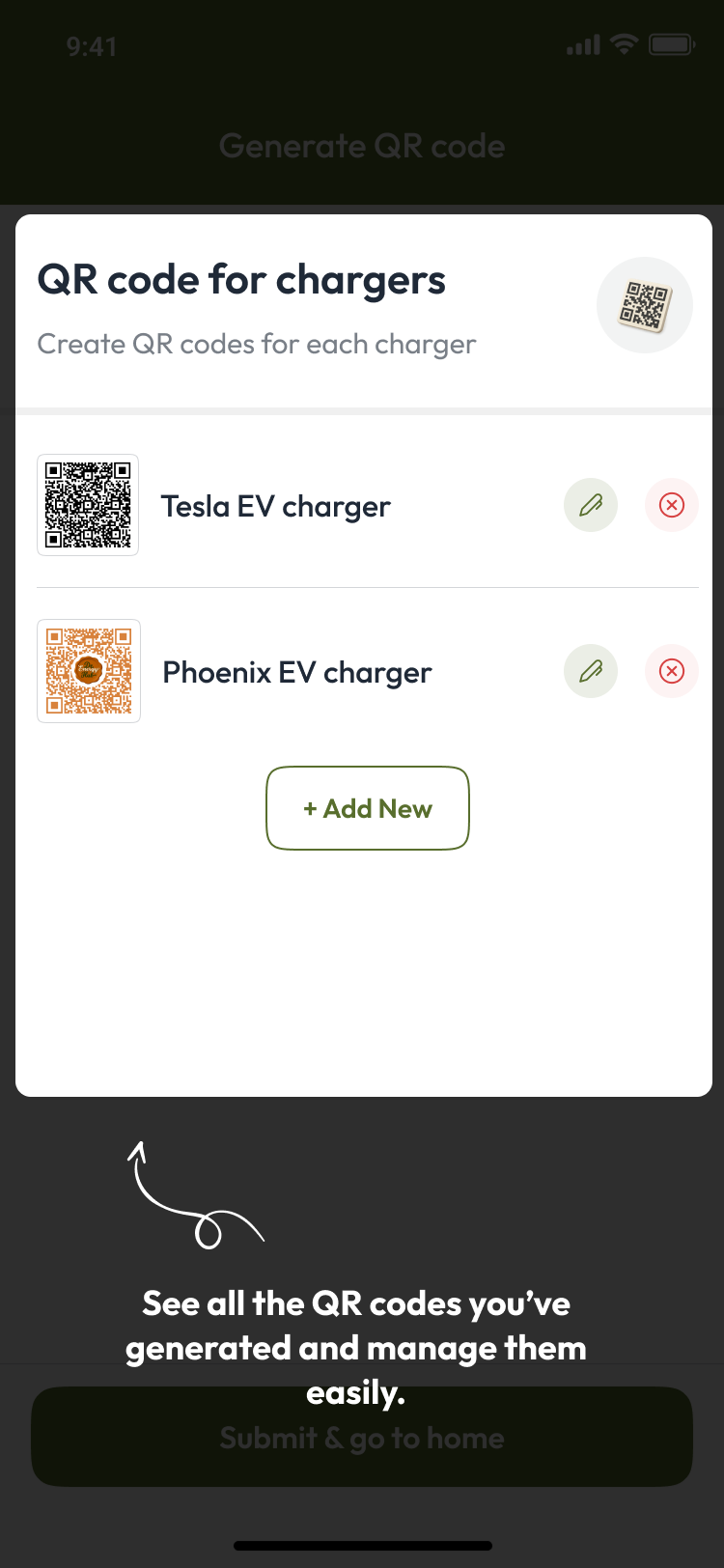
Generate a unique QR code for each charger or space, so drivers can scan and book. Parking Hubs work the same way, with a code for each space.

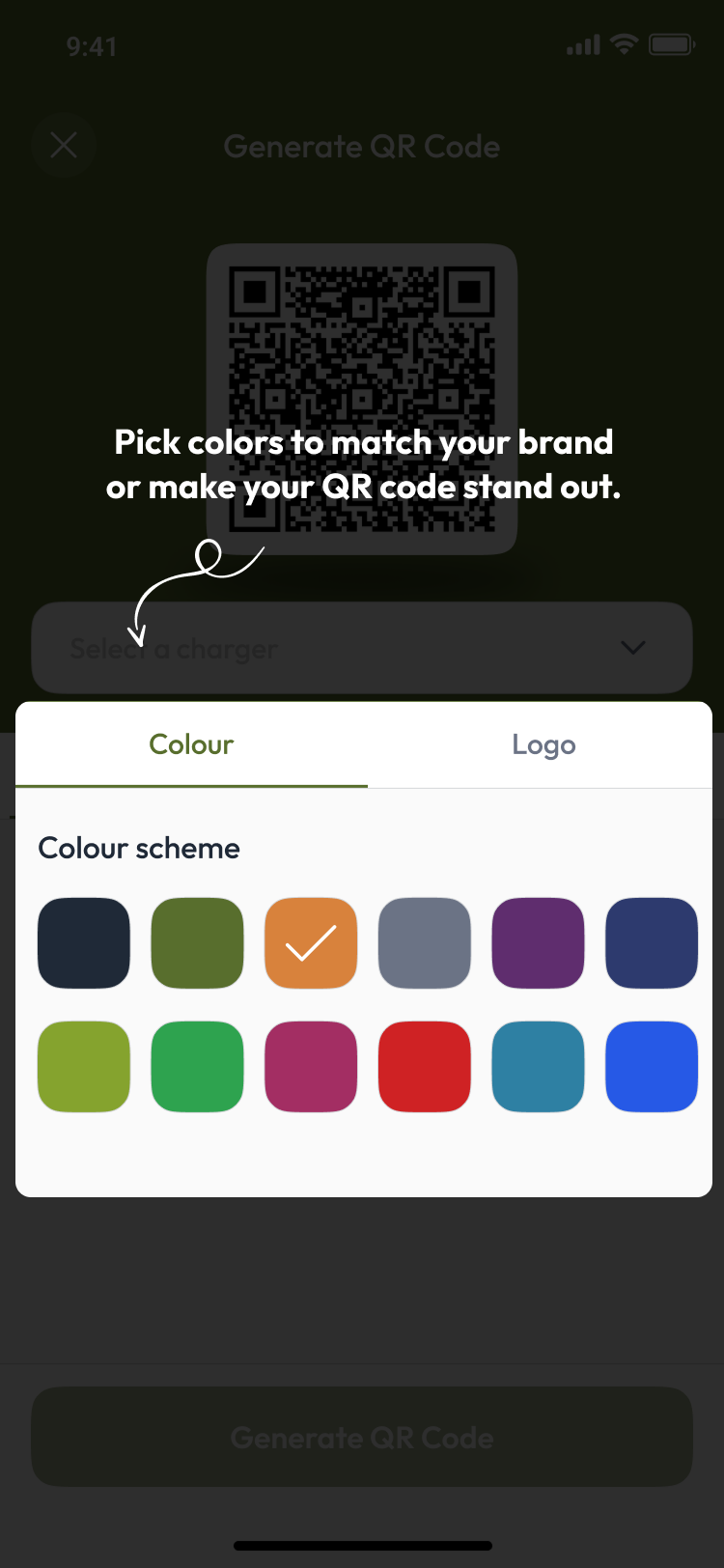
Choose a colour scheme for the code so it matches your site.

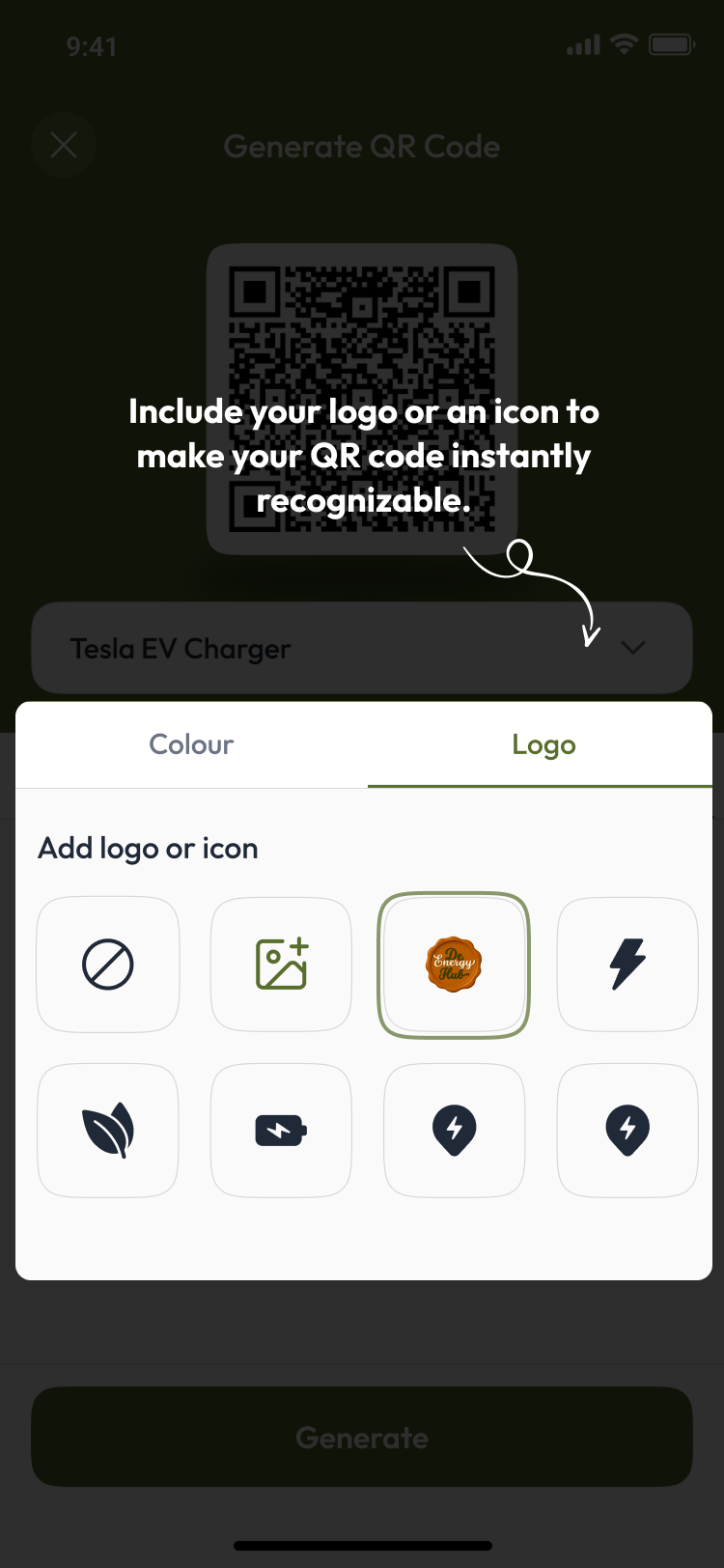
Put your logo or an icon in the code, then print it and place it at the charger or space.

See all your QR codes in the app, and print, edit or delete them whenever you need to.
The app does the booking, payment and notifications. A member of your team sets up the hubs and answers driver queries in the app.


A parking view or a charging view, with parking shown with or without charging.
Charger speed, connector type and distance, plus search by energy rate and price. Vehicle type too, where a Charging Hub is linked to a Parking Hub.
The rate and the total are shown before the driver confirms.
Time left, and a prompt to check out.
Open the hub in Google Maps.
A session summary of cost, energy label and duration, plus usage overview and session history.
Drivers can message the host about anything tied to that hub, and use Contact Us in the app. Drivers create a driver account, which is separate from a host account.
Self-serve, with no application and no waiting period. A hub is created when you submit it, and set-up is typically under an hour.
Every setup screen is on the app page. The hub setup guide walks through a Charging Hub and a Parking Hub screen by screen, from naming your hub to review and submit.
📖 See the hub setup guide →Each sector page shows one scenario for that kind of business, and links back here for the feature detail.
App features current as of October 2026. Questions? Get in touch.
De Energy Hub is live now on the App Store and Google Play. Download the app, create a host account and add your first hub.